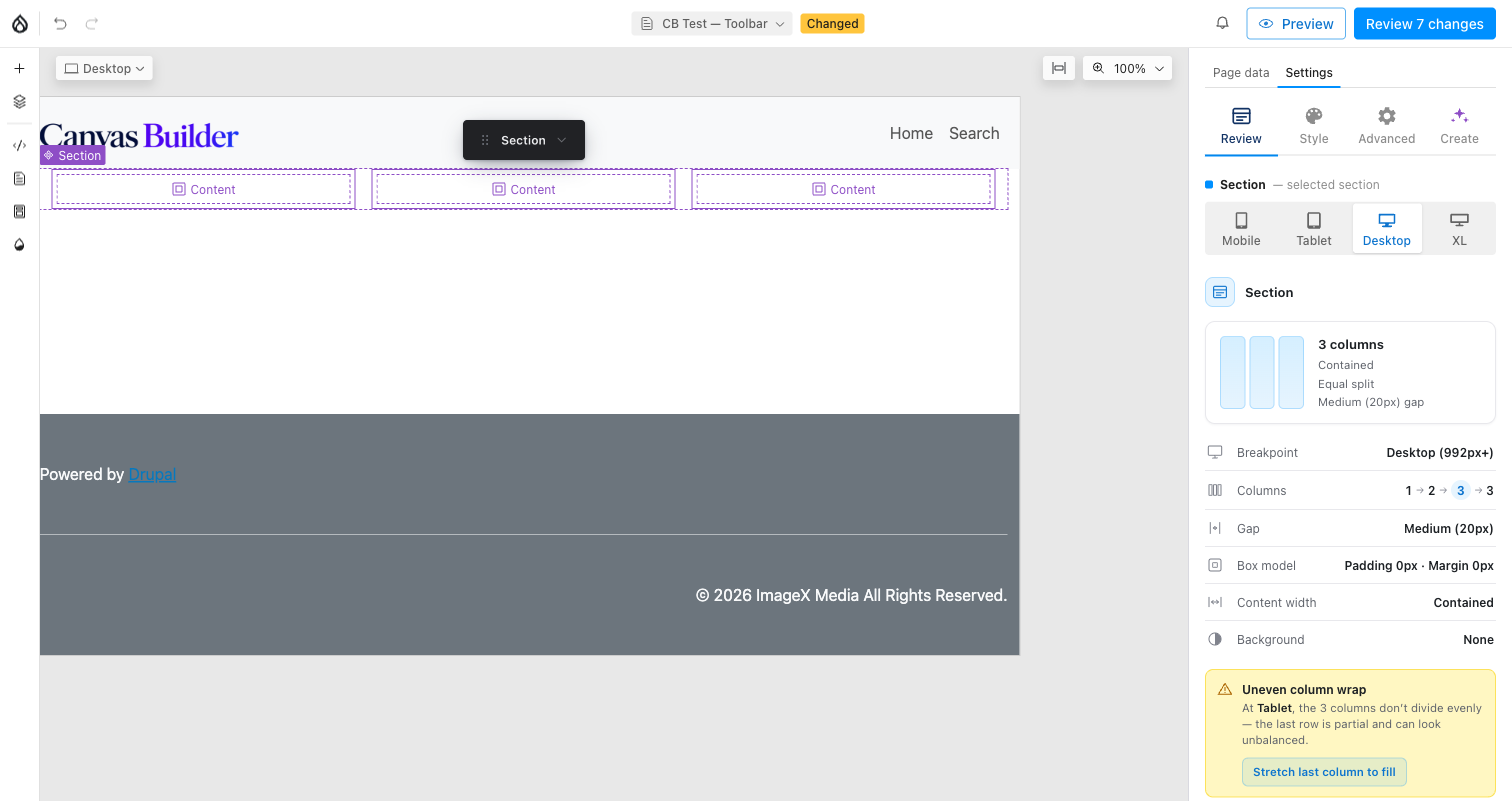
Style and the More menu
Style
A handoff chip, not a popover: it opens the right-hand panel's Style
tab (Background / Spacing / Typography; the optional canvas_builder_motion
submodule adds its own Motion tab alongside it). See Styles for
what lives there; the toolbar only shapes the band and its columns.
⋯ More
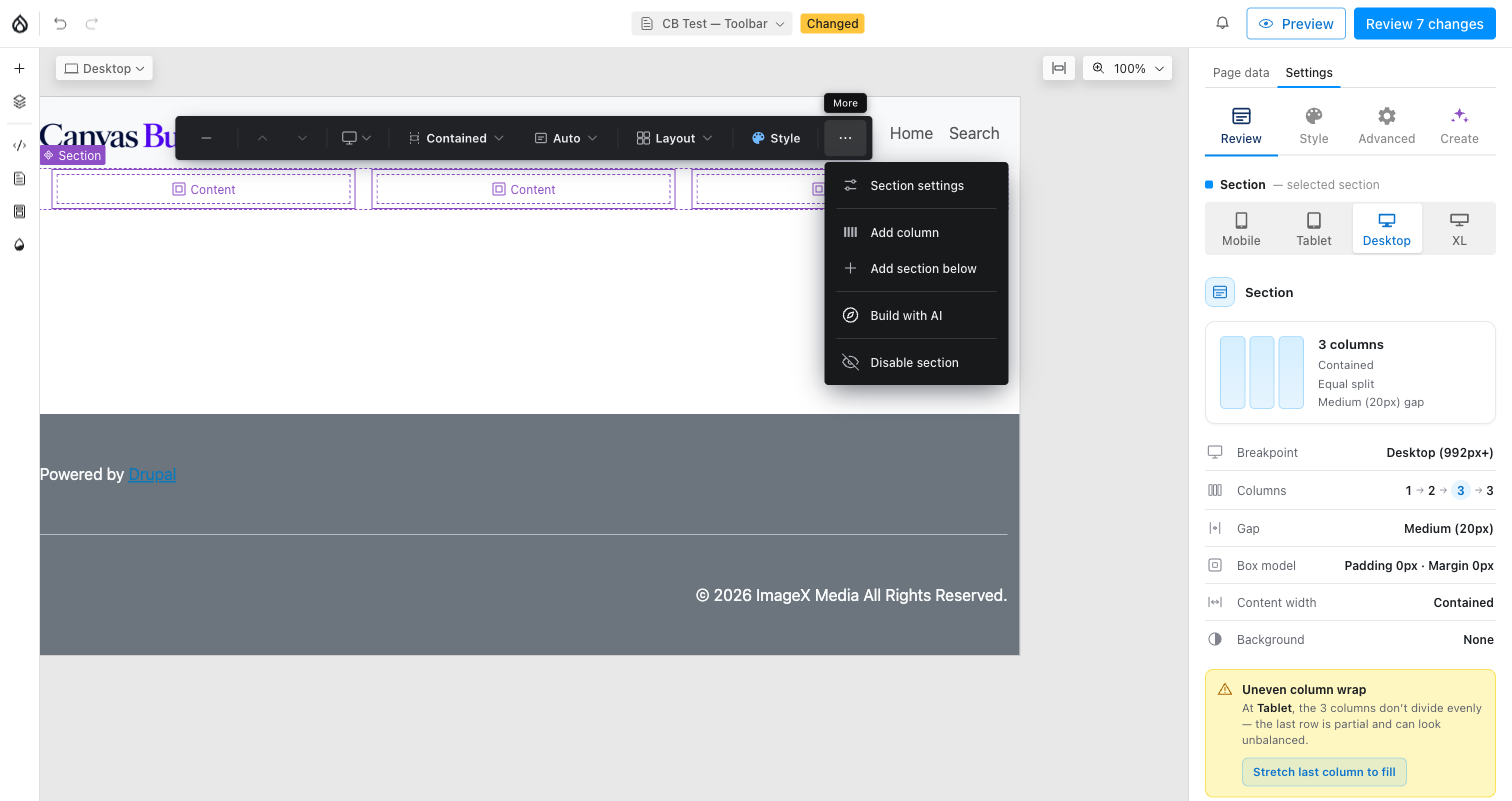
- Section settings: opens the popover below.
- Add column: appends one more column (up to the configured max), identical to the "+ Column" primary action that otherwise sits on the bar itself once there's room for another column.
- Add section below: inserts a new empty Section immediately after this one.
- Extension items: other modules can register additional chips or menu
rows here (documented contract, Events);
canvas_builder_aiadds Build with AI this way. - Disable / Enable section: toggles
section_disabled. A disabled section never renders on the front end; in the editor it's still visible, overlaid with a hatched indicator.
Section settings
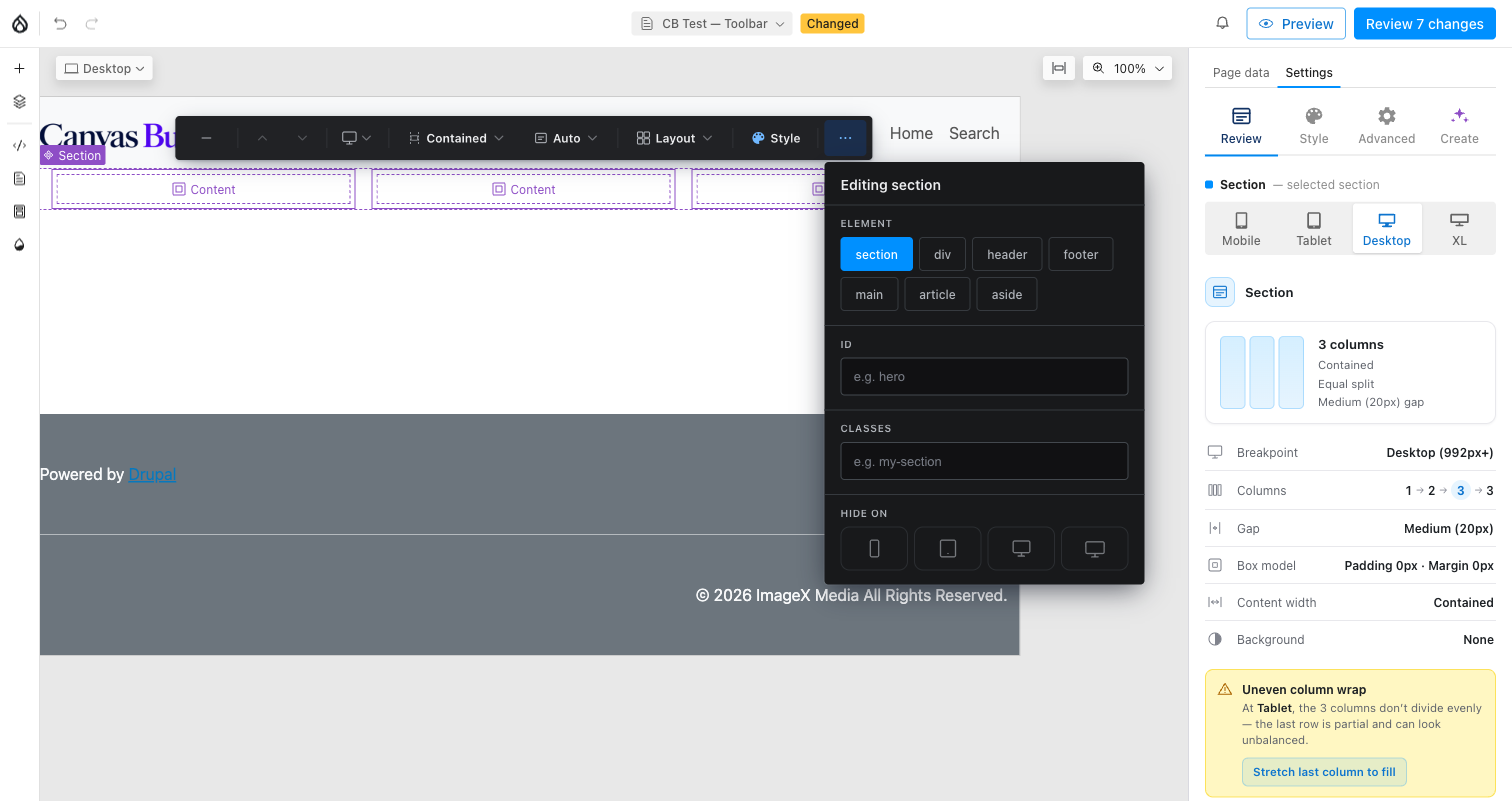
- Element: the semantic HTML tag the Section band renders as.
- ID / Classes: the section element's
idattribute and any extra CSS classes. - Hide on: per-viewport visibility, independent per breakpoint (no mobile-first cascade; each toggle stands alone). A hidden banner appears in the editor canvas when the active viewport is one you've hidden.
The panel remembers where you were
The prop-group tab you last used (Style, Motion, Review, whichever) is remembered across reloads, so returning to a page does not drop you back on Content every time.
Collapsed toolbar
Clicking minimize shrinks the bar to a small "Section" pill so it stays
out of the way while you work on content beneath it; clicking the pill
re-expands the full bar. The preference is remembered for the session (not
just this one Section) via sessionStorage.